Keep Your Eyes on the IDE, and Your Robots on the Tickets 🔗
Initial Scene:
Narrator: Bead Manager?! What does that even mean... let's start back at the beginning:
Scene Break: (Dissolve)
Time Jump:
"Two weeks earlier..."
New Scene:
A tall handsome man with thick dark hair leans over a computer with boxes of black bordered in grey scrolling dark green text. Scowling...

Author enters the room

Author: Who the hell are you! Get away from my laptop! Freaking coffee shops...
The Hero's Journey 🔗
As you can imagine I have been following the post transformer LLM growth for about 4-5 years at this point. I didn't understand it and I never really used it but I keep my ear to the ground. Increasingly frustrated with the inability to keep the LLM on task. I mean its ignorance on my part and the tool isn't ready yet. Such is the mark of progress, things improve over time. Although I am still challenged with simple things.
Give me 20 variations of this prompt for as jsonl training data using X format
I get 8...
I get 23
I get 12
Jump Cut:
Laptop launches out the window
So that's problem one and how do we solve it? Well with a novel wrapper that counts outputs and then re-prompts to do it again. I think they call that the Ralph Loop, I don't, I just call it the nature of the thing.
I learned later that this is generally caused by ambiguity of the context. Asking for 1 item 20 times and feeding back in the previous set to avoid duplicates always works better. The teaching: the computer is dumb, don't make it think too hard and everything goes smoother.
Most of what is to follow is the application of Agentic Patterns: Elements of Reusable Context-Oriented Determinism
Beads 🔗
What beads provides is really just an idea and its worth exploring yourself: https://github.com/steveyegge/beads.
It self describes as "A memory upgrade for your coding agent," which I think is arguable but it was the trigger I needed to expand my concept of what a workflow with an LLM could look like. To be honest I didn't just go "Ah Beads! Its all clear now." Instead I found this article about Gas Town which I didn't read, thanks ADHD, and instead installed it blindly. If I was to give it a review it would be that Gas Town is kind of a meme of agent orchestration. Clearly, there is a lot of work put into it, but I think the author might agree that its an expression of an idea in a more artistic than practical form.
But who cares, I walked back from Gas Town to beads, the underlying magic, in my opinion. So I describe this as a context graph, I am able to manually or with an agent LLM extract just as much focused context as I want and use it as a concrete repeatable prompt. While the same prompt doesn't get the exact response each time, the same prompt gets generally the same tool use and generally the same code is constructed. Which makes me wonder if the variability of code is so limited by its grammar restrictions that LLMs have less predictive options to bias towards.
Ok, I am gilding the lily a bit, a bead is just a bug ticket or a todo list and its a prompt that has a dependency chain. How I am using it is more like Jira for robots, if Jira wasn't software designed for my suffering. I am able to build a feature and break down tasks then feed a path of those tasks to the agent.
You may be asking, but why not just use markdown files or JSONL. Well because I am a human and I hate reading JSONL files, I have ADHD so if the file is longer than 10 lines it will never be fully read. Better put what you want as the last line on the bottom cause thats all I see. Point is I need to be able to monitor, tune, and track the agents. See what Gas Town did was have the agents self-manage. While novel, its a bit bizarre when you are trying to avoid scope creep cause LLMs love to add features.
Back to the other question, why not markdown files. Well, two reasons, first they are kinda noisy, second if the LLM has to read more than the exact section of the file they are working on some ambiguity could be introduced. If you notice the agent will often scan a file 50 lines at a time if there is no index. Which means some of that ends up in its context. When we want determinism our first goal is to make sure each interaction is exactly the same prompt. This means beads is mostly an opinion and is probably not required.
Stay in the IDE and Manage your robots 🔗
So good choices after bad maybe but when I have a database for my tasks and their prompts I need a way to visualize it. The purpose here is to allow me to create and observe the tasks my agent orchestration is running on. For me this is just Claude Opus delegating tasks to Sonnet agents in an agentic loop.
This all started with this command bd graph --compact --all
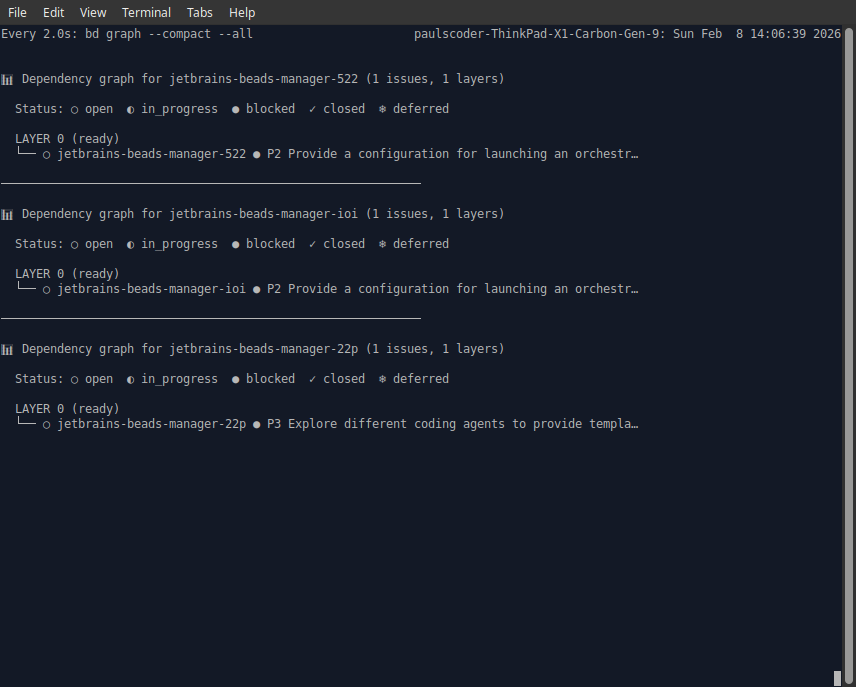
All because I wanted to watch my agent orchestration work through my tickets for another project.
Well that has led to this:
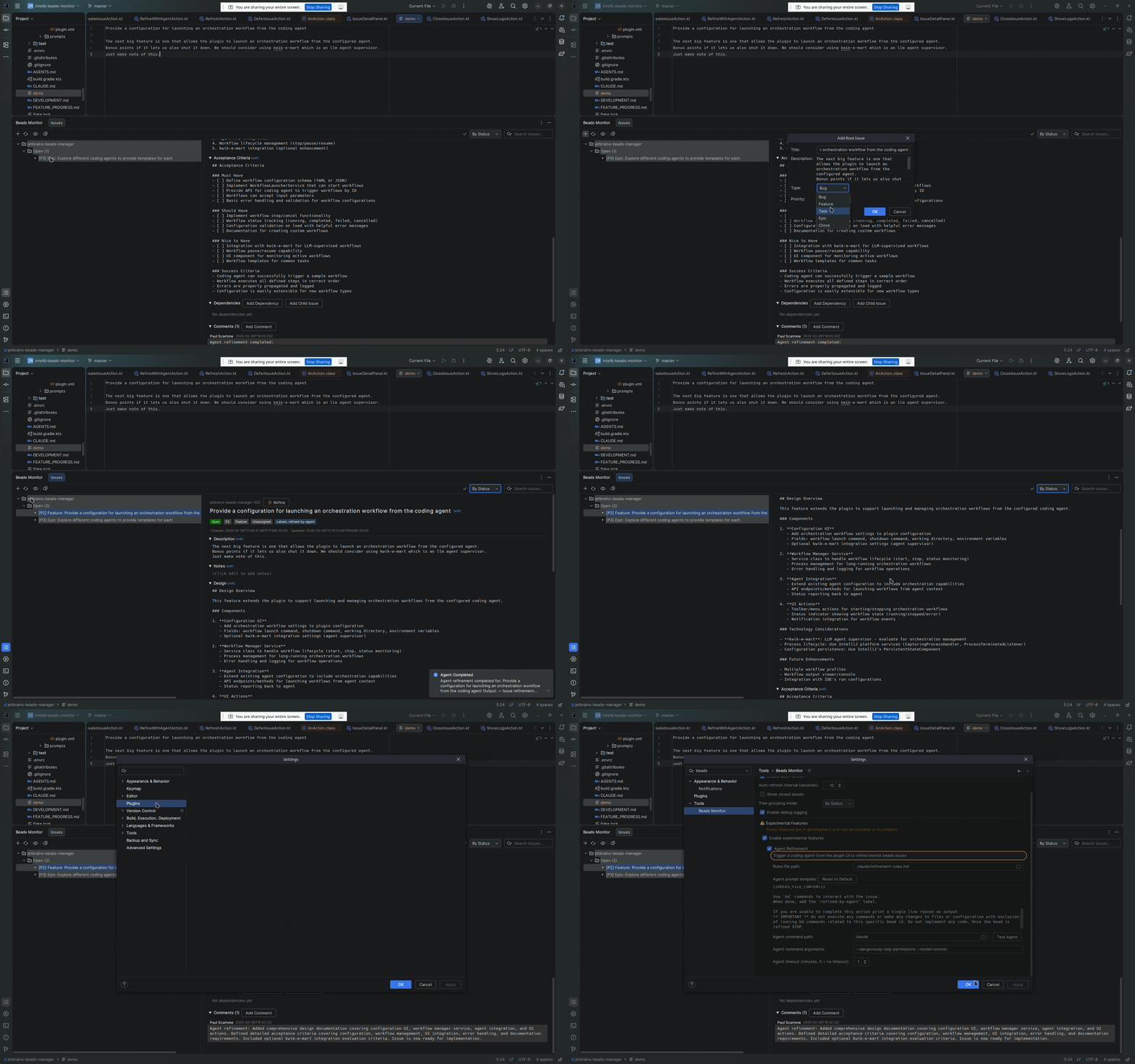
A full management console that lets me watch the beads transition status but also let me edit and add comments.
In this video there is an experimental refinement mechanism being demonstrated, available in the current release: Jetbrains Marketplace
The workflow 🔗
So the other half of this tool is this set of prompts for claude: beads-orchestration-claude
Now this is for claude but the practice can be applied manually or using other agents, the pattern is what matters and the prompt helps encapsulate the pattern more than the agent.
The keys here are:
- Recoverable
- Durable
- Keep your eyes in the IDE
1. Planning 🔗
So our first path here is to plan out a feature. This is really the only time we have a discussion with the LLM but my recommendation is to write a brief in a markdown file. A musing is good enough where you describe the problem, some technical planning around constraints and the systems you want to support.
What you do for any brief, use-cases, goals, non-goals, definitions, and open questions.
Once this is prepared you hand this over to the agent. For me that uses the /new project command REF if we provide it with project name readme git remote url it will setup a baseline project with beads using some LLM magic and a bash script read the brief and prepare the project with a proper explanation of the project for CLAUDE.
Once we have a nice agent specific write up for the project, which is important, we can begin planning. Beads provides some tools that will naturally be injected into your project to help the agent. But you may need to tell your agent this
use beads
bdto plan out tasks for this project,bd primefor an overview of commands
bd prime exposes an agent friendly output for how to invoke commands.
Your agent should now be creating issues in beads for your project. Depending on how you like it you can use as many or as few features as you like from beads, which has a number of fields to hold context about actions. At the very simplest you will get titles and descriptions. If you asked for a feature or an epic you will find they may have been mapped as dependencies.
You should then review the tasks. This can be done with bd list and bd show id or use the jetbrains plugin.
2. Review 🔗
So now we review the beads and expand / contract the plan asking the agent to defer tickets we are unsure about or expand others.
3. Work Breakdown 🔗
This is probably the most important part. Ask a reasoning model to review all the beads and provide implementation details for those exact tasks in the beads. The idea here is to have the agent make a big plan but instead of writing all the code write code snippets that are attached to the tasks.
We can then take the vibe code approach and execute on this or do a pre-review of our code. Its not uncommon for the agent to have wandered down a bad architecture path. Here is our moment to focus on a specific task and a specific ticket and allow things to be revised in a focused way.
The best way to do this is to first clear your context and ask:
Given the project overview please review bead
and revise to include an a single refresh flow for all data sources. Also review implementation details.
4. SDLC 🔗
Tell the agent to now make documentation and testing tasks linking them as required to the beads that relate to them. You should end up with a layer 2 of tasks that will follow up after the implementation completes.
I usually then ask:
Given the use-cases in the project overview define an e2e testing ticket for planning e2e tests that we can review at the end.
If all is well the agent should create a task that it will stop and design testing with you that include acceptance criteria based on the provided use-cases.
5. Burn tokens 🔗
Now we get to the more technical part. We need to delegate actions to sub agents and depending on what agent infra you use this could be built-in or require manual orchestration.
The command /beads-orchestrate REF handles most of the heavy lifting.
It instructs the orchestrator to fork new processes using a template. For claude this means it will append
--dangerously-skip-permissions --model sonnet|haiku --print -p "..."
For the prompt it will read the bead details along with some workflow about updating the bead and write that new prompt to a temp file. Passing the temp file to the new process. This obviously gives you the ability to debug what is happening at the injected prompt level.
It then sleeps and waits for the sub process to finish.
Why? Well Claude is just a nodejs app and it eventually runs out heap space because it reads the stdout and stderr of all tasks it orchestrates internally. As a subprocess it watches, it's a fresh Claude instance so if it fails it fails in a recoverable way. Since the prompt file is named after the bead it can recover by just restarting the agent.
At this point the orchestrator should spawn the implementer which reads the implementation details and completes the work.
Then the orchestrator will spawn a new agent to handle code review, usually a simpler agent.
All this time the agents will leave comments on the tickets so you can see where it ran into problems and picked a tradeoff. This is very important for root cause analysis later if a feature degrades. You can have the LLM resurrect the changes merged into a branch the same name as the bead. Review the decision it made and make another one. Better yet, since the orchestrator and implementer read the comments you can just append your request to the ticket, mark it open, and tell the agent to refactor it again.
Here is an example of what a bead comment thread looks like in practice. This is from an issue where the Gradle build was failing:
[Opus] at 2026-02-06 01:11 Starting orchestration. Dispatching Sonnet implementer to fix Kotlin stdlib warning in gradle buildPlugin.
[Opus] at 2026-02-06 01:16 Resuming orchestration. Dispatching Sonnet implementer to fix Kotlin stdlib warning.
[Opus] at 2026-02-06 01:24 Resuming orchestration. Previous worktree had no commits - starting fresh. Dispatching Sonnet implementer to fix Kotlin stdlib warning.
[Sonnet] at 2026-02-06 01:25 Starting implementation. Will examine build.gradle.kts and gradle.properties to understand current configuration, then apply fix per https://jb.gg/intellij-platform-kotlin-stdlib
[Sonnet] at 2026-02-06 01:26 COMPLETED: Added kotlin.stdlib.default.dependency=false to gradle.properties. Build verified successful without warnings. Fix committed to branch.
Notice how the orchestrator (Opus) had to resume twice - once after the first dispatch seemingly stalled, and again when it found the worktree had no commits. This is the kind of recovery that happens automatically. The implementer (Sonnet) then picked up the task, did its research, applied the fix, and verified success. All of this is visible in the ticket history without watching terminal output scroll by.
6. When it fails 🔗
This workflow isn't perfect but thats the big reason for the plugin. This whole process keeps you from staring at the chat stream and back into the IDE as your work. If you see progress not being made or an issue has comments that move it to blocked you can address it there and then just kick the orchestration. The goal is we have boring work we don't wanna do and we let the robot do it while we act on the interesting parts.
But sometimes it just hangs, haven't solved it yet. When this happens we are always recoverable. Claude subprompts have a 10 minute timeout so even orphaned they will be killed. You just start orchestration again on a clear context and things recover without your attention.